Install
Download and open the APK. Review Android’s installation prompt.
 English Reminder
YOUR ENGLISH, IN SIGHT
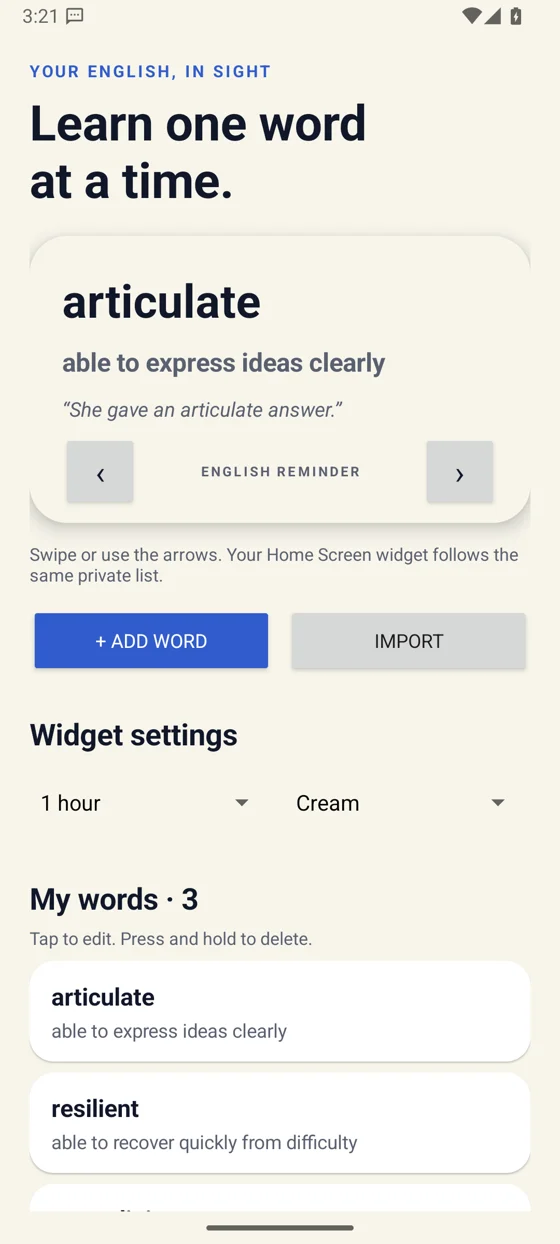
Keep your own English words, meanings and examples close. Add a Home Screen widget, choose Cream, Night or Mint, and revisit your vocabulary throughout the day.
Free. Version 1.0.0. Android 8.0 or later. Direct download from English Reminder. Google Play listing is being prepared.
Download and open the APK. Review Android’s installation prompt.
Save a word, its meaning and an example in the app.
Hold your Home Screen, open Widgets and choose English Reminder.
Download the APK on your Android phone and open the downloaded file. Android may ask you to allow installation from your browser. Review that prompt, then turn that permission off again after installing. If your device does not allow direct installation, use the web app.
Open English Reminder and add a word, meaning and optional example. You can edit your words, import CSV, TSV or JSON, and export a CSV backup.
Press and hold an empty area of your Home Screen, open Widgets, find English Reminder and add it. Set the rotation interval and theme inside the app. Android controls actual widget refresh timing.
No account, ads, analytics or cloud sync. Your Android list stays on this device and is separate from your browser list. Export your list before clearing app data or uninstalling.
The iPhone app is being prepared. Practice in the web app today.